
Learn what headless BI is, how it works, its benefits, use cases, and how it differs from traditional BI for modern, embedded analytics.

Ka Ling Wu
Co-Founder & CEO, Upsolve AI
10 min

Your first question is definitely, what is headless BI?
Headless BI seems like a new hot topic in modern analytics solutions and most people don’t understand it.
According to a recent report by IDC FutureScape, over 50% of the top 2000 organizations will be replaced with AI-driven headless BI.
So, headless BI has something that’s solving the problems of many businesses and we’ll figure out how using this approach can save more time and effort.
In this blog, we’ll cover:
What is Headless BI? [Simplest Way]
How does Headless BI work?
It’s Benefits, Use Cases, and how it’s different from traditional BI?
Lastly, how you can use headless BI with Upsolve?
Let’s figure it out…
What Is Headless BI?
Headless BI is a modern approach to using business intelligence that separates the data layer (backend) from the visualization layer (frontend).
Now, to better understand the term headless, let me tell you this in simple words.
Mainly the term "headless" comes from the idea of decoupling the "head" (frontend interface) from the "body" (backend).
This means that headless BI handles all the heavy lifting, like querying, aggregating, and analyzing data, so you can show this data with any tool or application.

This makes headless BI extremely flexible and lets you choose or design a custom user interface according to your needs.
Now, to make it clearer, let me give you an example.
If you look at traditional BI tools such as Tableau or Power BI, they bundle everything together: a pre-designed dashboard showing charts and tables.
While headless BI focuses on delivering data through APIs to any application or visualization tool of your choice.
Another example could be using a pre-designed analytics tool that comes with fixed dashboards and charts. You can view the insights, but you can’t change the layout or add custom features.
If it’s headless BI, then it’s like getting the powerful analytics engine and building your own dashboard with the exact tools, design, and features you need.
How does Headless BI Work?
Headless BI mainly works upon an API-driven architecture that decouples the back-end data processing from the front-end visualization.
This approach provides businesses with complete control over how they access, process, and present their data, offering flexibility for embedding analytics into their tools and workflows.
Here’s how the process typically works across different stages to process the required data:

Data Integration: Headless BI connects to multiple data sources like databases, CRMs, and cloud platforms through APIs. These APIs pull the necessary raw data into the analytics engine.
Data Processing: The back end processes this raw data, performing tasks like cleaning, aggregating, and applying machine learning models to extract actionable insights.
Data Delivery: Once processed, the insights are delivered back through APIs, allowing front-end applications to display them in user-friendly, customizable interfaces.
User Interaction: Finally, users interact with these insights through custom dashboards, mobile apps, or embedded analytics tailored to their specific needs.
While APIs make headless BI incredibly versatile but there are a few security concerns to address when implementing this approach:
Security Practice | Description | Purpose |
|---|---|---|
Secure Authentication | Use protocols like OAuth 2.0 for API authentication. | Ensures only authorized users access the API. |
Data Encryption | Encrypt data between back-end systems and front-end applications. | Prevents data breaches during transmission. |
Access Control | Restrict API access based on roles and permissions. | Minimizes risk of unauthorized data exposure. |
Compliance Standards | Adhere to regulations like GDPR or HIPAA for sensitive data handling. | Ensures legal compliance and responsible data management. |
API Monitoring | Continuously monitor API usage for potential security threats. | Detects and mitigates risks before they become critical. |
This way, businesses are leveraging headless BI in various ways to optimize their data processes and improve user experiences. These are some of the use cases of how businesses use headless BI:
E-commerce Platforms: Online retailers use headless BI to integrate real-time analytics into their seller dashboards, providing sales performance updates and inventory trends without relying on external tools.
Healthcare Systems: Hospitals and clinics embed headless BI into their management software to offer doctors patient insights, treatment plans, and diagnostic trends all in one intuitive interface.
By following a structured approach and addressing security concerns, headless BI allows organizations to create seamless and secure analytics solutions that align perfectly with their unique requirements.
And this makes headless BI a better choice for many businesses.
What are the Benefits of Headless BI?
Headless BI offers several significant benefits that make it a preferred choice for businesses looking for flexible and modern analytics solutions. Here are the key benefits of adopting Headless BI:
Feature | Description | Benefits |
|---|---|---|
Full Flexibility and Customization | Avoid pre-built dashboards; create custom analytics experiences tailored to branding and user needs. | Seamless embedding into existing tools or customer-facing platforms. |
Faster Integration | APIs enable quick integration with CRMs, ERPs, and SaaS platforms. | Reduces setup time and ensures scalable, on-demand analytics. |
Improved Scalability | Effortlessly handles growing data volumes and integrates with multiple applications. | Ensures long-term efficiency and adapts to evolving business needs. |
Cost Savings | Eliminates the need for front-end licenses, focusing on back-end analytics. | Reduces costs and utilizes existing interfaces for maintenance and operation. |
Enhanced User Experience | Design user-friendly, intuitive analytics interfaces tailored to audience preferences. | Delivers relevant metrics without clutter, ensuring a personalized and efficient user experience. |
By leveraging these benefits, Headless BI can help your organizations deliver powerful, adaptable, and cost-efficient analytics solutions that meet both business and customer demands.
Headless BI vs Traditional BI
Comparing Headless BI and Traditional BI can help you decide which approach fits your organization.
Where Headless BI focuses on back-end data processing, offering flexibility through APIs.
Meanwhile, Traditional BI solutions often include a built-in interface, limiting customization but providing a more familiar, all-in-one platform.
Here is a quick comparison table to illustrate their core differences:
Feature | Headless BI | Traditional BI |
|---|---|---|
Architecture | Decoupled from front-end | Bundled front-end and back-end |
Integration | API-driven, flexible | Often depends on vendor-specific connectors |
Customization | Fully customizable dashboards and interfaces | Limited customization |
Cost | Focuses on the back-end, fewer front-end licenses | Higher cost due to additional licenses |
Scalability | Easily scales with data and user demands | May require upgrades for larger datasets |
Ease of Use | Requires developer involvement | User-ready, out of the box |
Many businesses are transitioning to Headless BI due to its flexibility, reduced costs, and seamless embedding options.
However, both Traditional BI and Headless BI have their own strengths and weaknesses, so let’s see them:
Pros and Cons of Headless BI
Strengths:
High flexibility for creating custom dashboards
Lower total licensing costs
Faster integration with current systems
Weaknesses:
Requires more development resources
Less user-ready out of the box
Pros and Cons of Traditional BI
Strengths:
Comes with pre-built dashboards
Easier for non-technical users to start
Weaknesses:
Limited customization and embedding options
Higher ongoing licensing costs
As you see here, both approaches serve different needs.
However, Headless BI is gaining more attraction among businesses due to its cost-effectiveness and own customization needs.
Where Headless BI Fits in the Three-Layer Context Architecture
Headless BI made one important move: it separated the data layer from the front end. The metrics, definitions, and logic live in one place, and any interface can call them. That same separation is what modern analytics agents depend on.
It helps to think in three layers of context. Any reliable analytics experience needs Structure (what data exists and how it connects), Meaning (what your metrics actually represent, how "revenue" or "active user" is defined at your company), and Trust (which answers have been validated).
Headless BI, along with the semantic layer beneath it (think dbt MetricFlow or Cube), is essentially the Meaning layer made reusable: one agreed definition of each metric, served through an API instead of buried inside a single dashboard.
That is why the headless idea matters more now than when it first appeared. The old reason to decouple the front end was to build a custom dashboard. The new reason is that an analytics agent can sit on the same decoupled layer and answer questions directly, but only if the definitions are clean.
Get the Meaning layer right and answers are accurate; leave it ambiguous and the system guesses, which is why context, not the model, is what makes or breaks analytics accuracy.
How to Use Headless BI With Upsolve?
Upsolve AI is an agentic analytics platform with customer-facing analytics built in. Instead of asking you to build a front end on top of a headless backend, it gives you both sides: an analytics agent and embeddable dashboards your users can work with from day one, plus the API-driven integration the headless approach is known for.
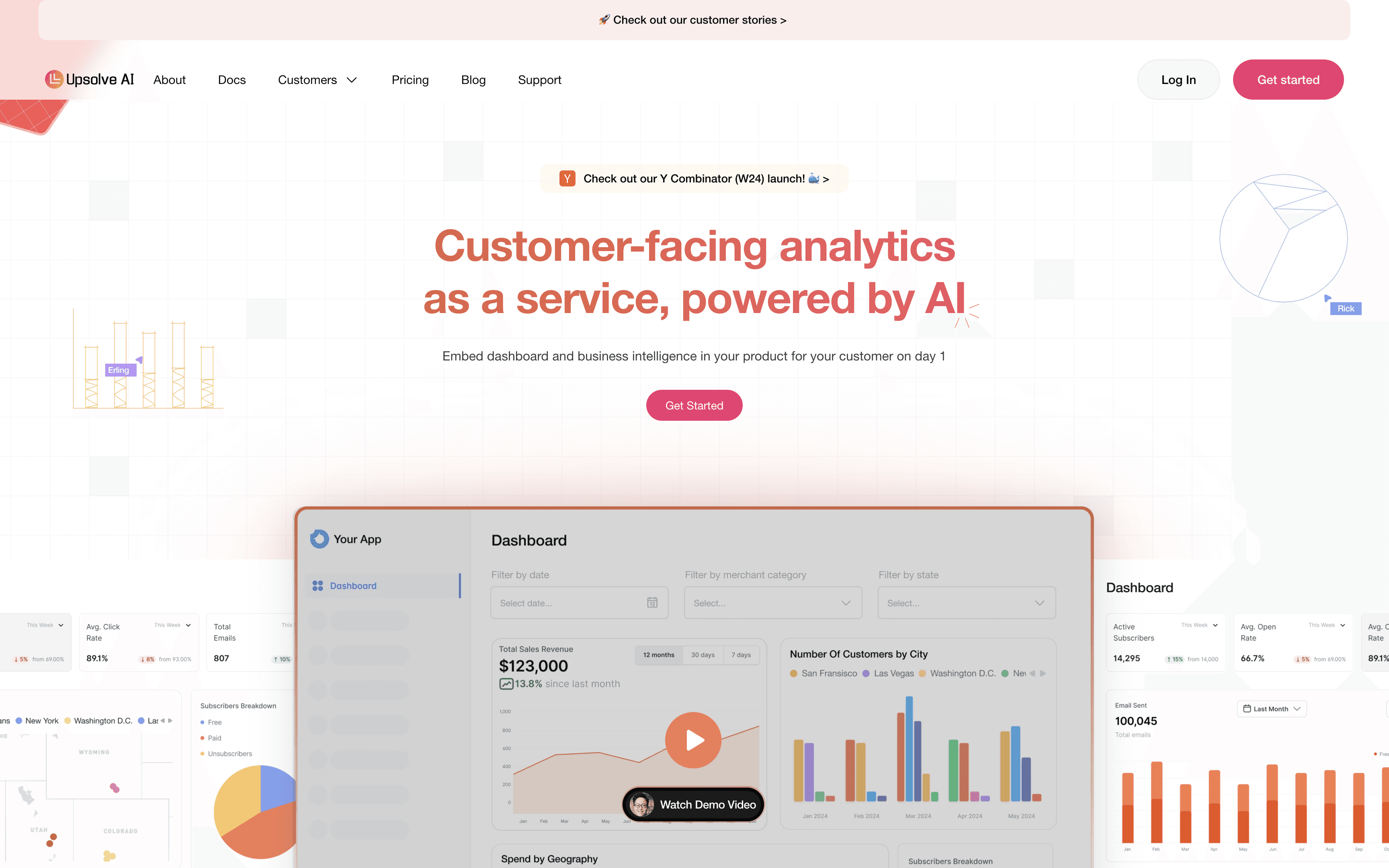
That combination is the practical advantage. Standing up a purely headless setup, integrating sources, managing the layer, and serving insights through APIs, is a real engineering project.
Upsolve keeps the flexibility of a decoupled, API-driven architecture while handling the front end and the context layer for you. Business users can ask questions and get answers without a custom build in between, which is really the difference between embedded analytics and traditional business intelligence.
Now, let me tell you how you can get started with Headless BI using Upsolve:
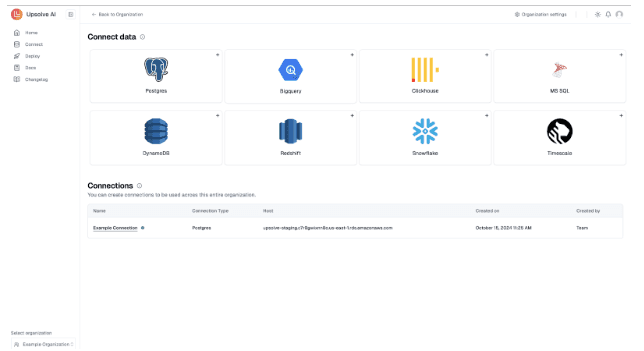
Connect Your Data Sources
Upsolve allows seamless integration with various data sources like CRMs, databases, cloud platforms, or SaaS applications using its API-driven approach. This consolidation ensures all data is ready for analysis in one central location.
Process and Transform Your Data
You can use Upsolve’s data transformation tools to help you clean, aggregate, and analyze raw data quickly.
This way, you can run calculations, trend analyses, and even machine learning models to uncover deeper insights.
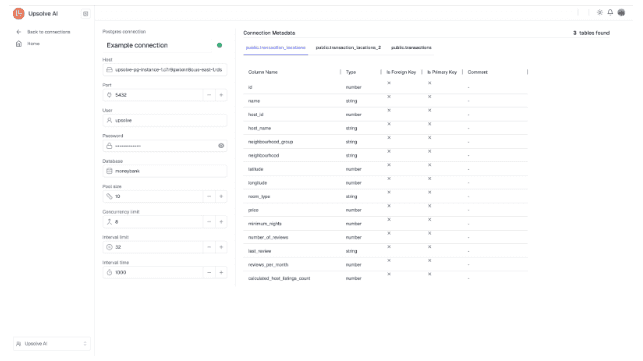
Embed Analytics Into Your Applications
With Upsolve’s APIs, adding analytics to your existing apps or dashboards is simple. Your users can see real-time insights right where they work, whether it’s a customer-facing interface or an internal tool.
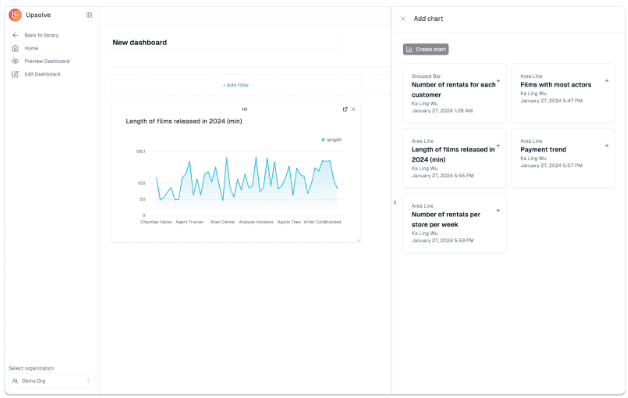
Customize Your Front-End
Upsolve can also handle the back end, freeing you from designing the interface your way. By this, you can easily build interactive dashboards, minimalist reports, or anything that matches your brand and goals.
Monitor and Optimize Performance
Upsolve offers tools to track API usage and data performance. So, you can set up alerts or automated reports to keep tabs on key metrics without constant manual checks.
Now, these are some advantages of using Upsolve for Headless BI:
You save time and effort by eliminating the need for extensive coding to integrate analytics.
Its API-first design ensures compatibility with your existing infrastructure.
You can scale your analytics seamlessly as your business grows, adapting to new data sources and user demands.
So, with Upsolve, the process of adopting Headless BI becomes not only efficient but also transformative, which can enable businesses to unlock the full potential of their data with minimal complexity.
And, it’s the perfect solution for organizations who are aiming to deliver analytics in a way that aligns with their unique workflows and goals.
Conclusion
We’ve explored everything about Headless BI, showcasing how its flexible, API-driven architecture can help in delivering power-packed analytics in our existing workflows and apps.
This approach is becoming increasingly popular among businesses because it provides adaptability, efficient integration, and seamless user experiences, offering a clear edge over traditional, all-in-one solutions.
To recap, here’s why Headless BI matters today:
It minimizes overhead by removing rigid front-end dependencies
It accelerates deployment through quick and flexible data integration
Enables rapid scaling as data volumes grow
Delivers an efficient brand experience through fully customizable interfaces
And a platform like Upsolve AI can simplify this entire process: an agentic analytics platform that handles data integration, processing, and embedding, with the context layer that keeps answers accurate.
It lowers the technical barrier, so you can deploy a headless-style analytics setup quickly and reliably. If you are comparing ways to get there, it is worth knowing what to look for in an analytics agent platform before you commit.
FAQs about Headless BI
1. What is the main purpose of Headless BI?
It provides flexible, API-driven analytics that integrates seamlessly into existing tools, removing the need for rigid, pre-built dashboards.
2. Is Headless BI expensive to implement?
No, instead it can be cost-effective by cutting out additional front-end licenses. While there may be setup costs, its flexibility and scalability often result in long-term savings.
3. How does Headless BI improve business insights?
By embedding real-time, context-specific analytics into your applications, it enables faster decisions and more personalized data insights for users.
4. Do I need technical expertise to use Headless BI?
Some development skills may be needed to help with API integrations, but platforms like Upsolve can simplify the process, making it accessible even for those with limited technical resources.
5. What are the security considerations for using Headless BI?
For security reasons, you can follow best practices like OAuth authentication, data encryption, and role-based API access. Also, ensure compliance with data regulations such as GDPR or HIPAA.

Try Upsolve for Embedded Dashboards & AI Insights
Embed dashboards and AI insights directly into your product, with no heavy engineering required.
Fast setup
Built for SaaS products
30‑day free trial